
01
读懂屏幕与本地化屏幕
大多数时候你只需要知道屏幕上写了什么,文字面板是最快的方式:每个标签、按钮和提示都会和译文一起列出,可以直接粘贴到搜索框或客服工单中。如果你需要一张在另一种语言里看起来很原生的截图,比如用于应用商店页面或帮助文章,翻译图片会原位重绘界面文字。
这个截图翻译工具适用于屏幕上任何你看不懂的内容:外语应用、游戏菜单、聊天记录、报错信息,或无法选中文字的网页。上传截图,就能在可复制的文字面板中看到每一行的译文,或拿到界面文字已换成你的语言的同一张截图。
更新于
输出
模型
尺寸
速度快、成本低,擅长菜单、招牌和截图。
截图最好用 PNG。每张不超过 10 MB,一次最多十张。
纯文字模式返回可复制的面板。如需本地化截图,再加上翻译图片。
从面板复制文字或下载为 TXT,并保存翻译后的截图。
 原图译图
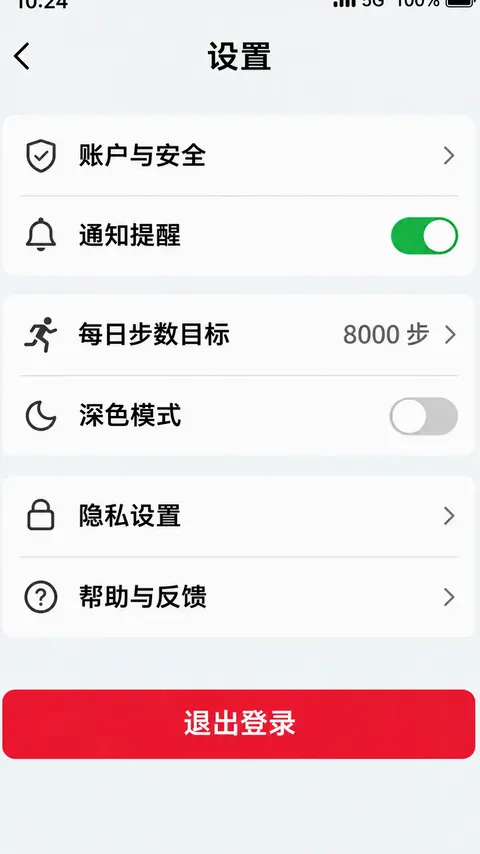
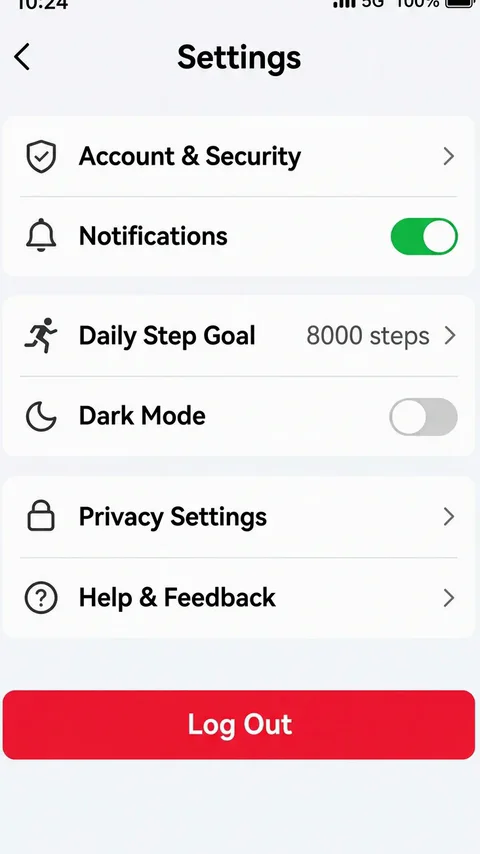
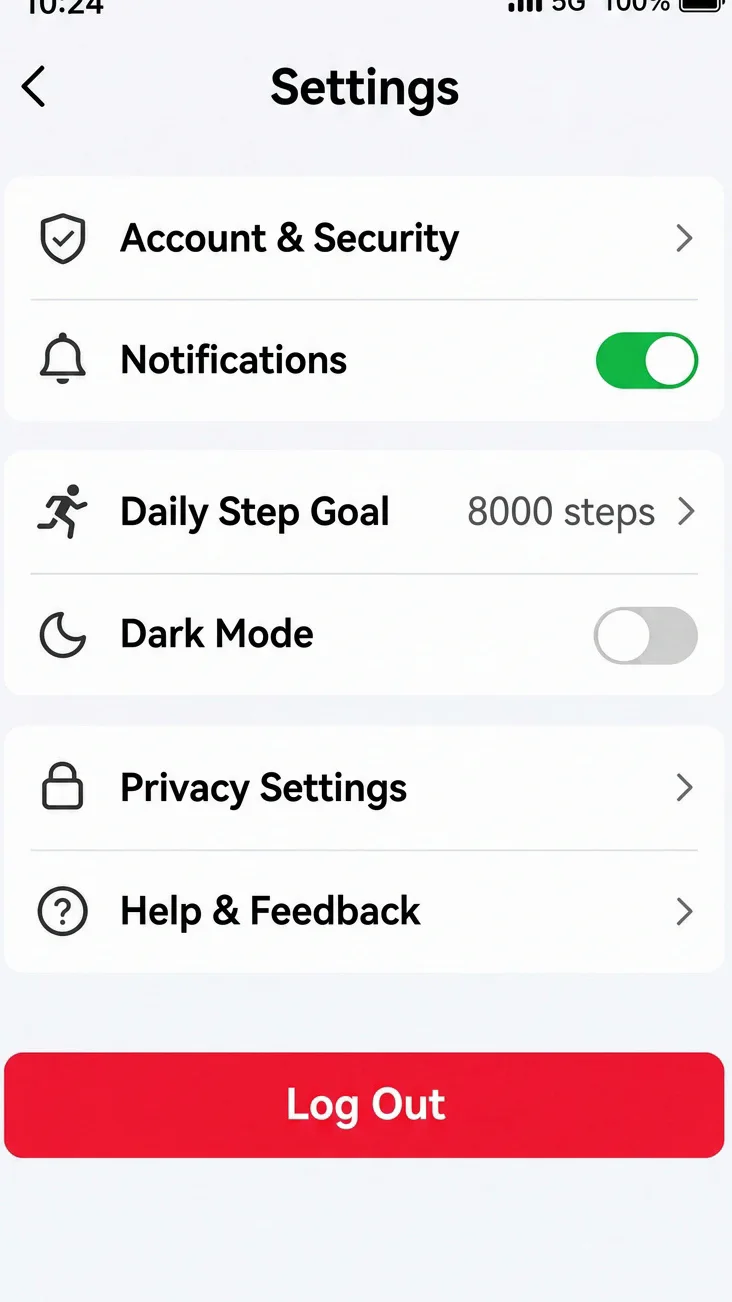
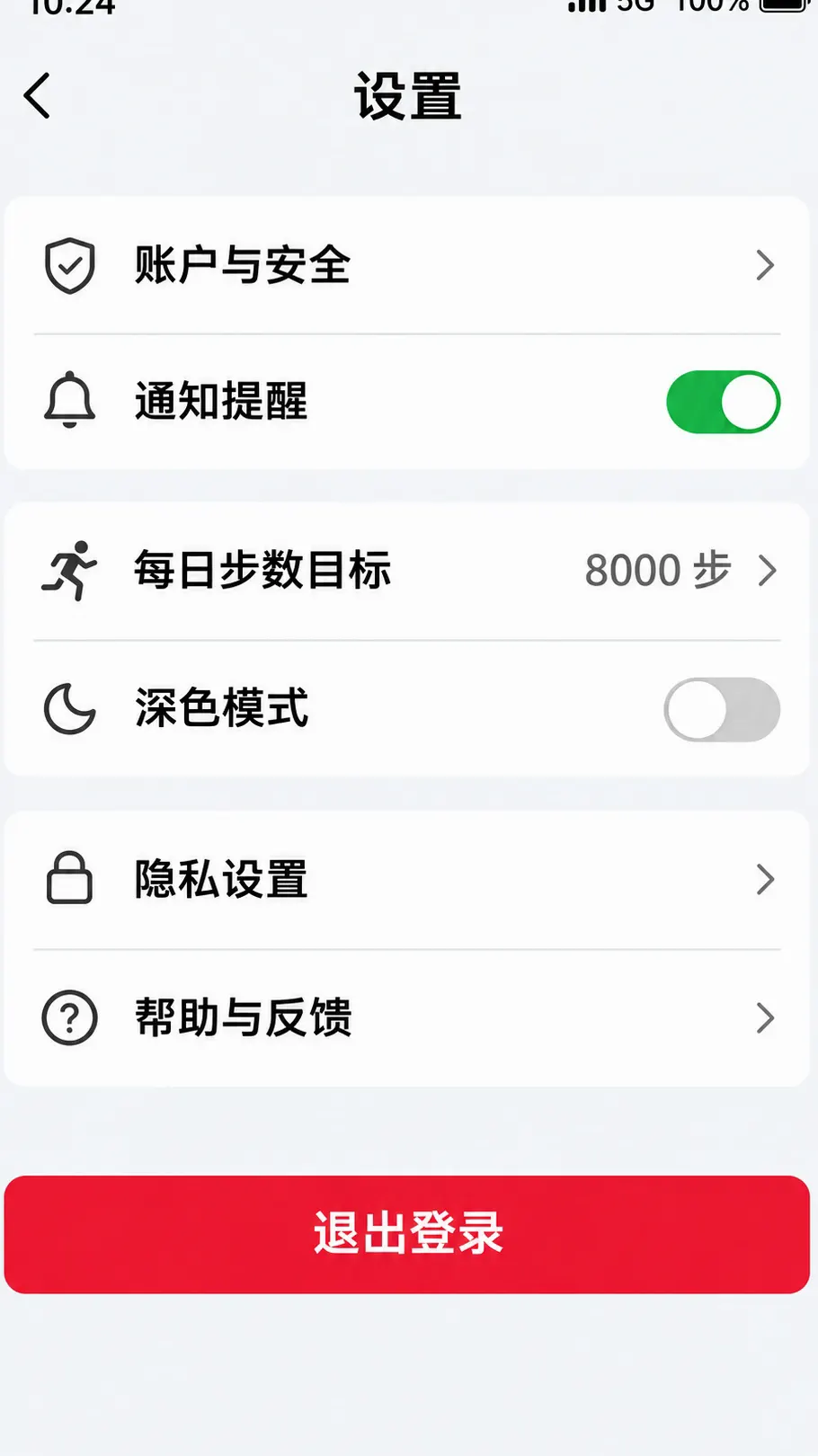
一张中文应用设置页截图,翻译成英文,开关与布局不变
指令: Translate every piece of text that is not already in English in this image into English. Keep the exact same layout, font style, size, colour, positions and background; change only the words. Keep the picture, people, objects, logos and numbers as they are, at the same size and position. Do not crop, zoom, add borders, captions or watermarks.
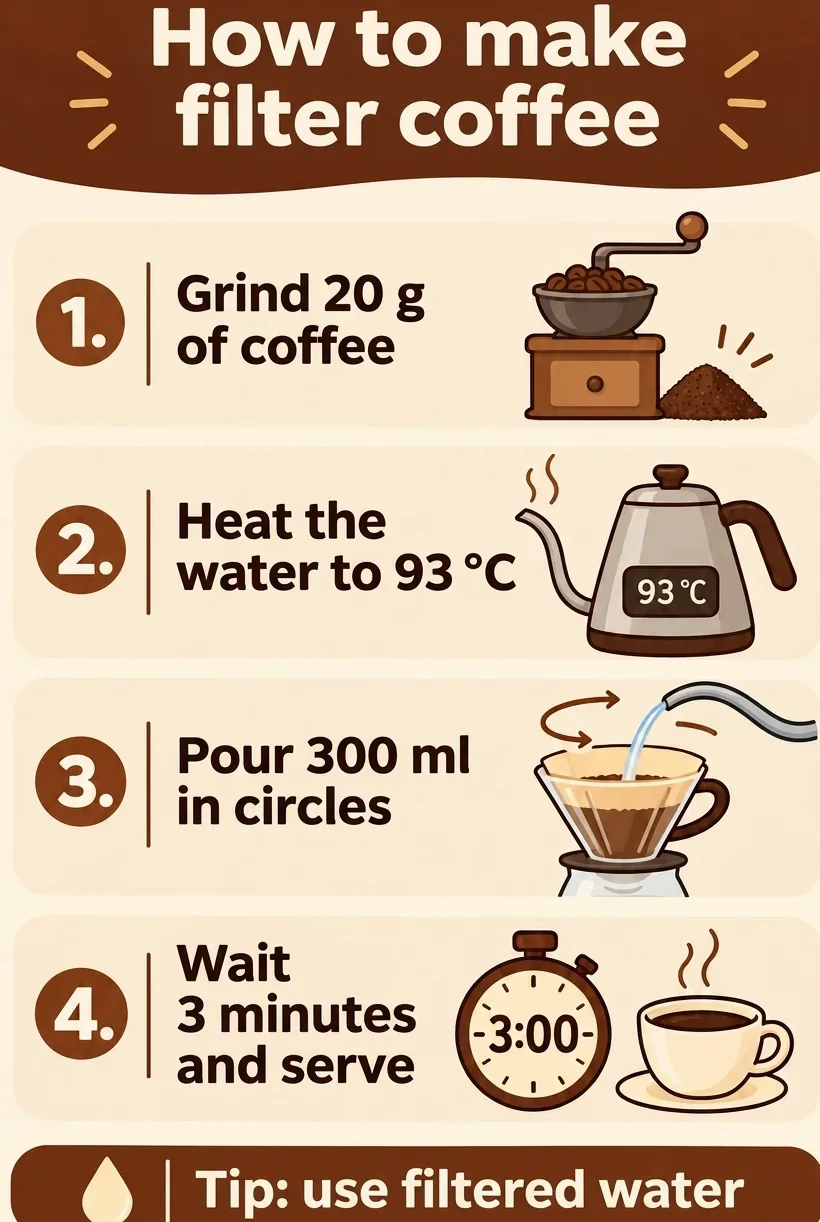
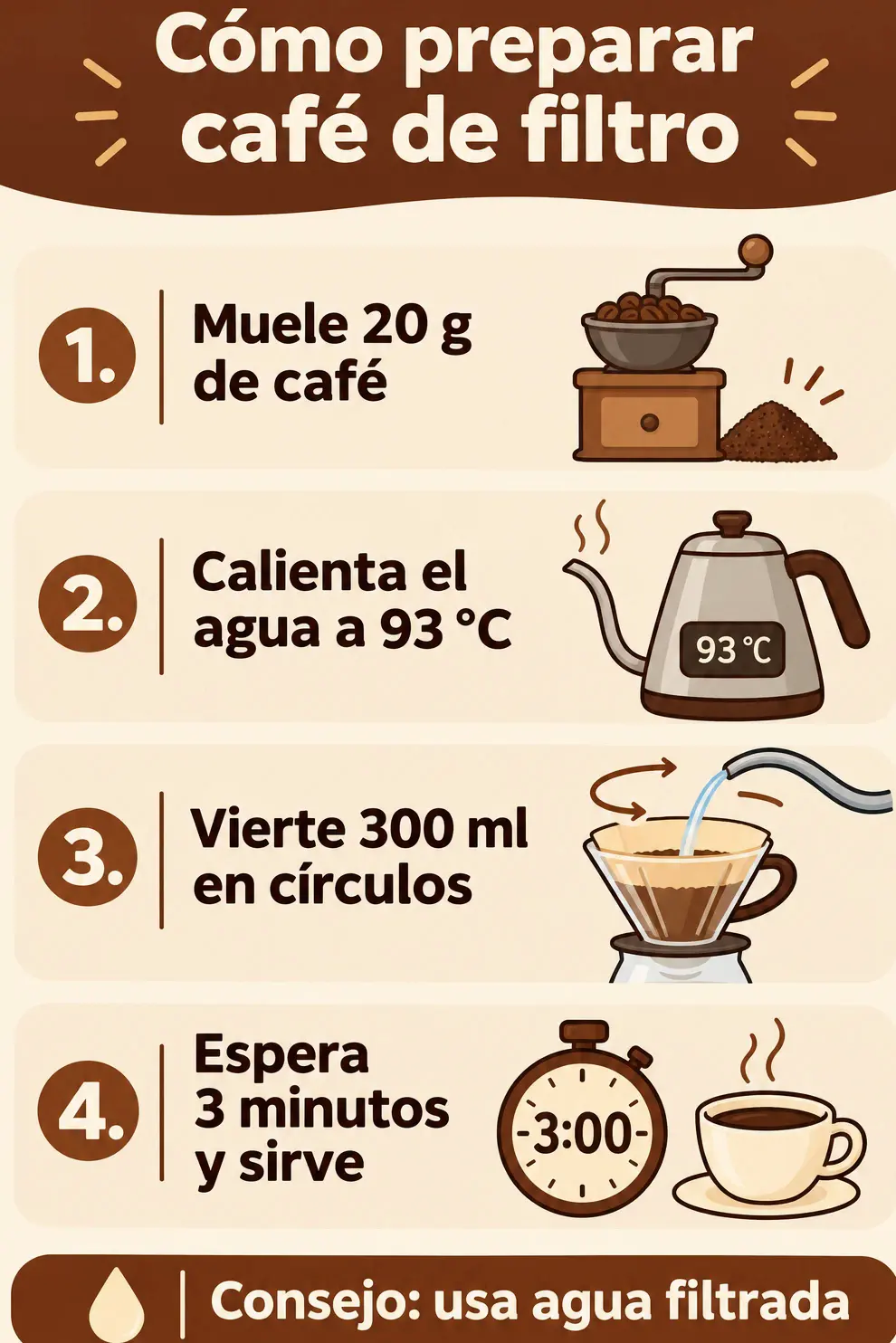 原图译图
一张西班牙语四步冲咖啡信息图,翻译成英文,图标不变
指令: Translate every piece of text that is not already in English in this image into English. Keep the exact same layout, font style, size, colour, positions and background; change only the words. Keep the picture, people, objects, logos and numbers as they are, at the same size and position. Do not crop, zoom, add borders, captions or watermarks.
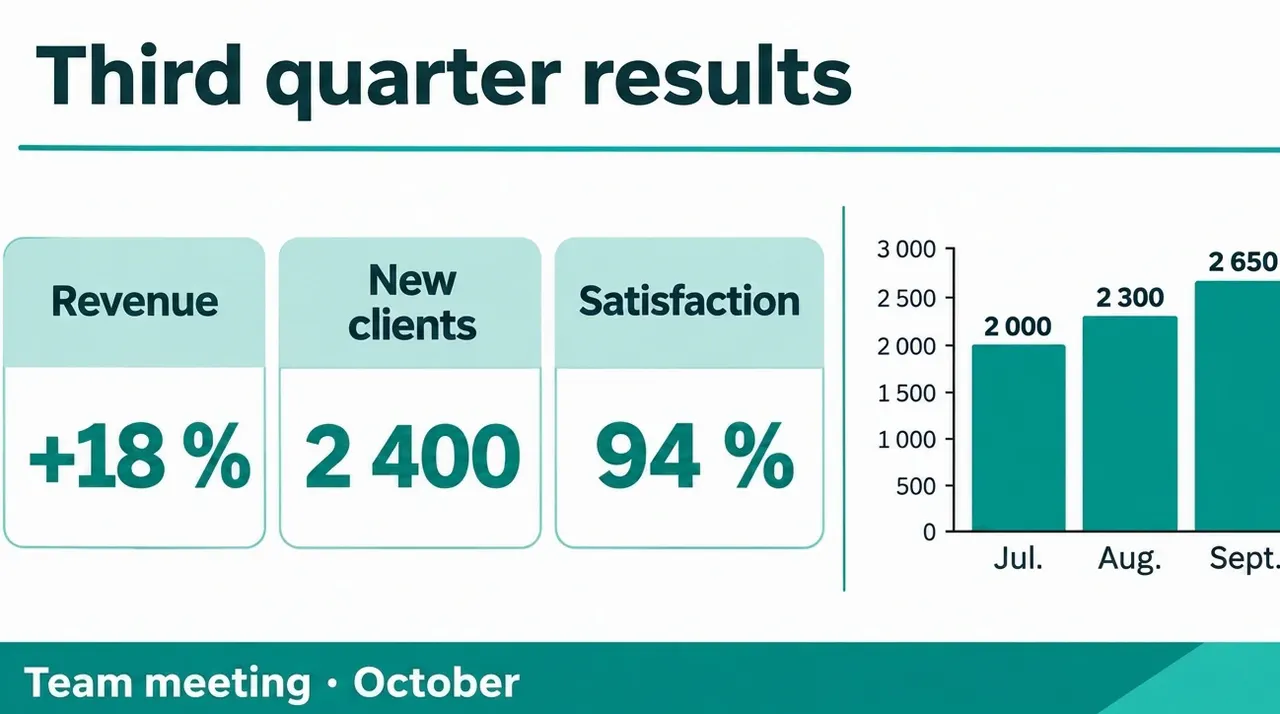
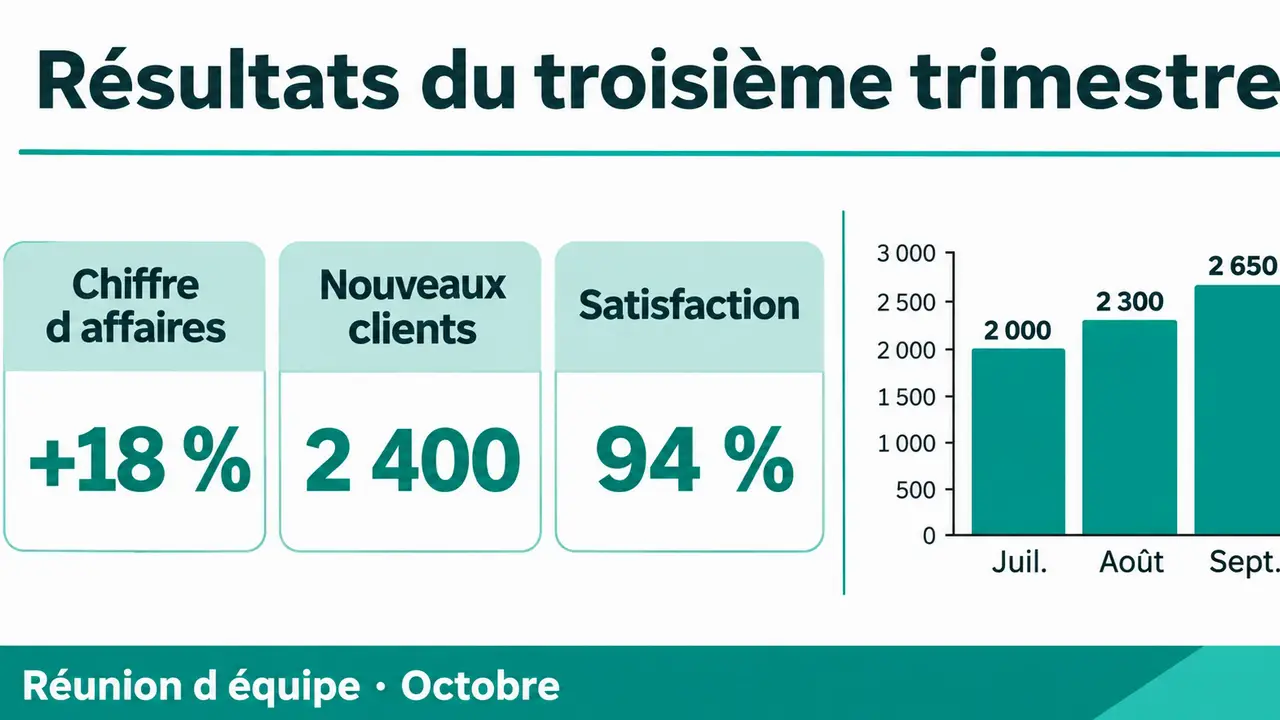 原图译图
一页法语季度业绩幻灯片,翻译成英文,图表与数字保留
指令: Translate every piece of text that is not already in English in this image into English. Keep the exact same layout, font style, size, colour, positions and background; change only the words. Keep the picture, people, objects, logos and numbers as they are, at the same size and position. Do not crop, zoom, add borders, captions or watermarks.
01
大多数时候你只需要知道屏幕上写了什么,文字面板是最快的方式:每个标签、按钮和提示都会和译文一起列出,可以直接粘贴到搜索框或客服工单中。如果你需要一张在另一种语言里看起来很原生的截图,比如用于应用商店页面或帮助文章,翻译图片会原位重绘界面文字。
02
按钮、标签页和菜单项的空间很小,而很多语言比英文长。GPT Image 2 最能让译文行长接近原文,因此更适合界面截图。用备注让产品名、命令或代码保持不变,例如「不要翻译应用名称」。
翻译器会在运行前显示准确价格。 套餐与积分包
| 模型 | 适合 | 1K | 2K | 4K |
|---|---|---|---|---|
| Nano Banana 2.1 | 日常图片:菜单、招牌、截图 | 16 | 23 | 34 |
| GPT Image 2 | 海报、广告和密集文字 | 23 | 38 | 61 |
| Gemini 3 Flash | 文字面板:每行原文及译文 | 11 | ||
可以,但真正的截图更清晰,没有摩尔纹和反光,漏行更少。能截图就尽量截图。
能。菜单、对话框和物品描述都翻译得不错。风格化的游戏字体较难识别,请在面板中检查看起来不对的行。
一次最多十张。每张截图都是独立任务,有各自的面板和结果。
是的。它们只在你的账号中可见,没有公开图库,也只会发送给运行任务的 AI 服务。